If the Wi-Fi drops
OthTech Switch
The connection was interrupted. Your transferred files are safe.
Reconnect and the migration carries on from the last safe point.

OthTech Switch guides you through every stage — and tells you honestly what happened at the end.
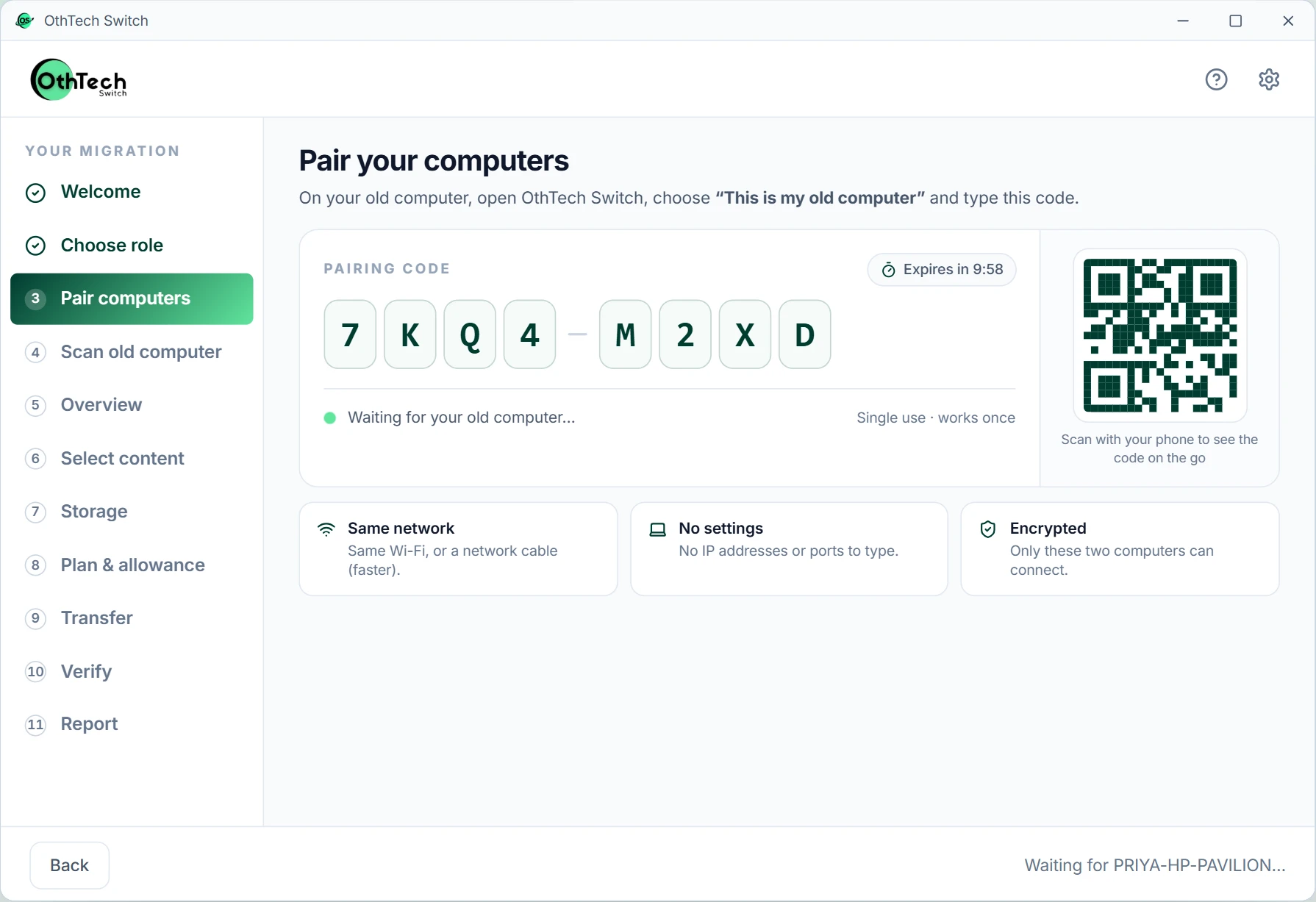
Your pairing code
7KQ4-M2XD
7 steps
From install to verified report
1 code
Is all it takes to pair
Every file
Fingerprinted before and after
0 files
Sent to OthTech
App screens from the OthTech Switch preview, with simulated data.
Here's exactly what you'll see, and which computer you'll be sitting at.
Getting set up
Download OthTech Switch on your old and new computer. Both need the same version — if they don't match, we'll tell you which one to update.
Do this first on the old computer while the new one is still being unboxed.
Old computer
Windows 10
InstalledNew computer
Windows 11
InstalledOn each computer, choose “This is my old computer” or “This is my new computer”. That's the only setup question.
Which computer is this?
Your new computer shows a short code. Type it on your old computer, then confirm on the new one. No IP addresses, ports or cables to configure.
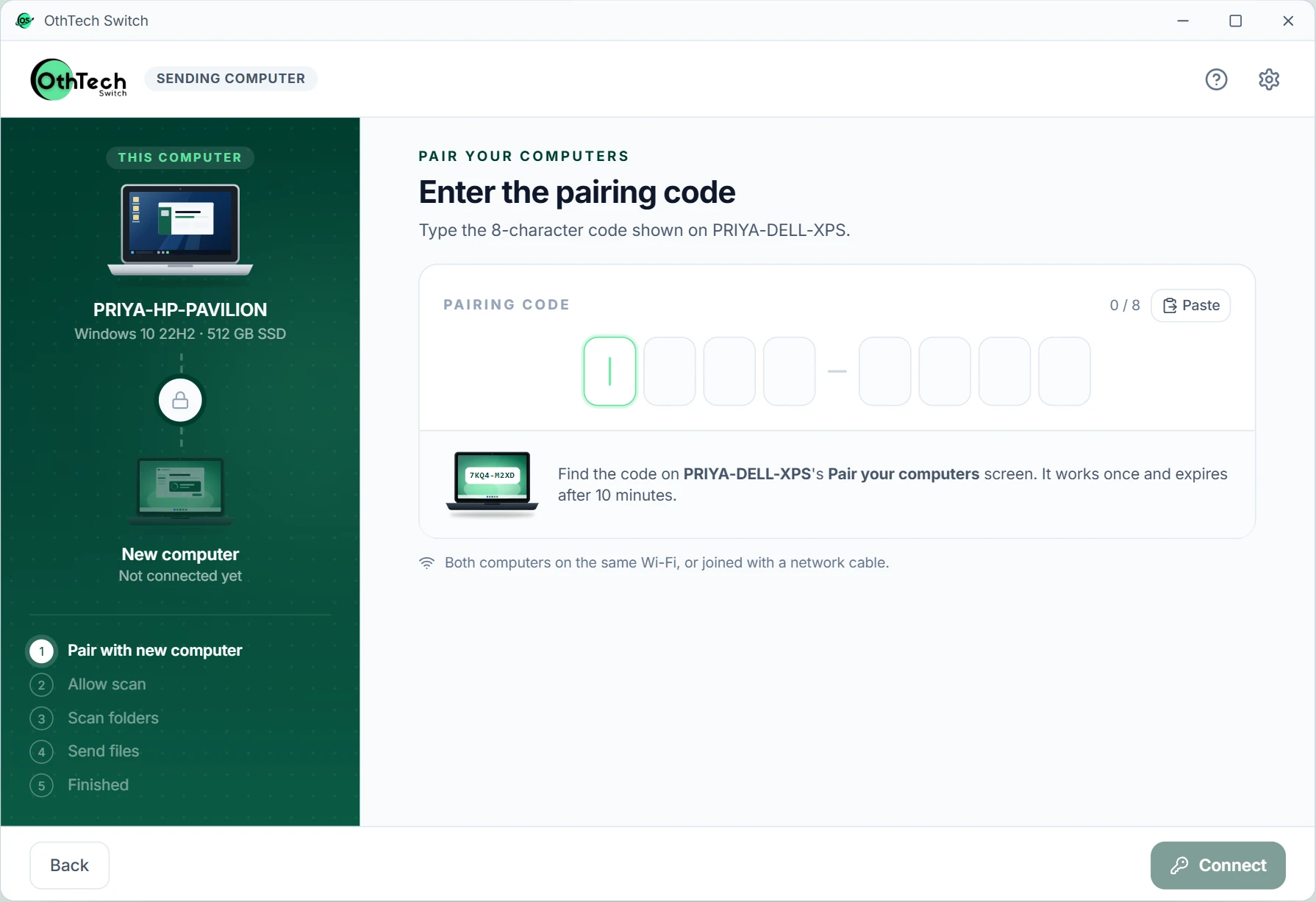
Deciding what comes along
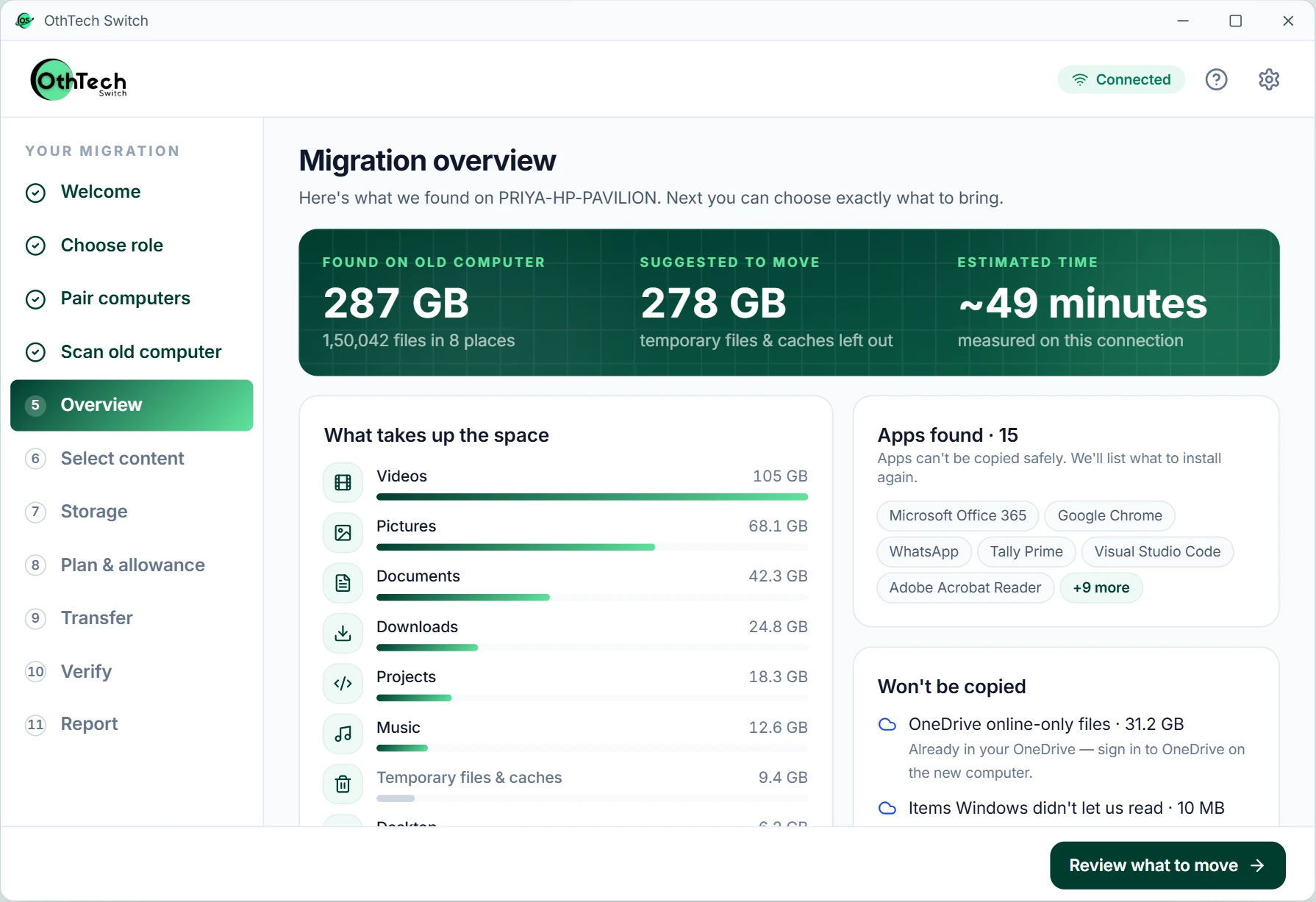
We look through your Documents, Pictures, Videos, Music, Desktop and Downloads and show you what's there, by size. Add other folders or leave things out.
Not sure about a folder? Leave it ticked. You can always delete it later — you can't copy what you left behind.
We compare what you selected with the free space on your new computer, recommend where things should go, and show how long it will likely take.
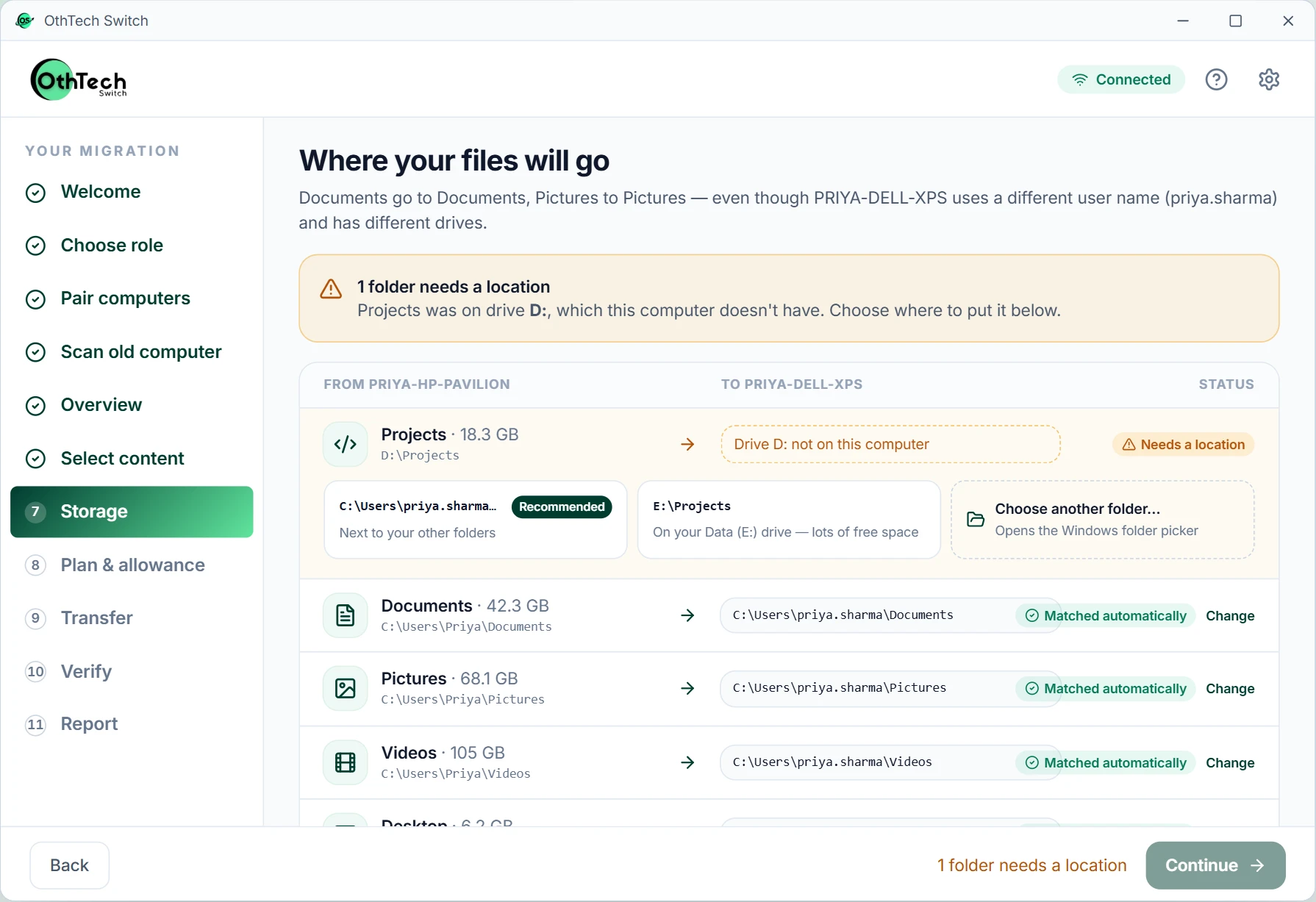
Moving and proving it
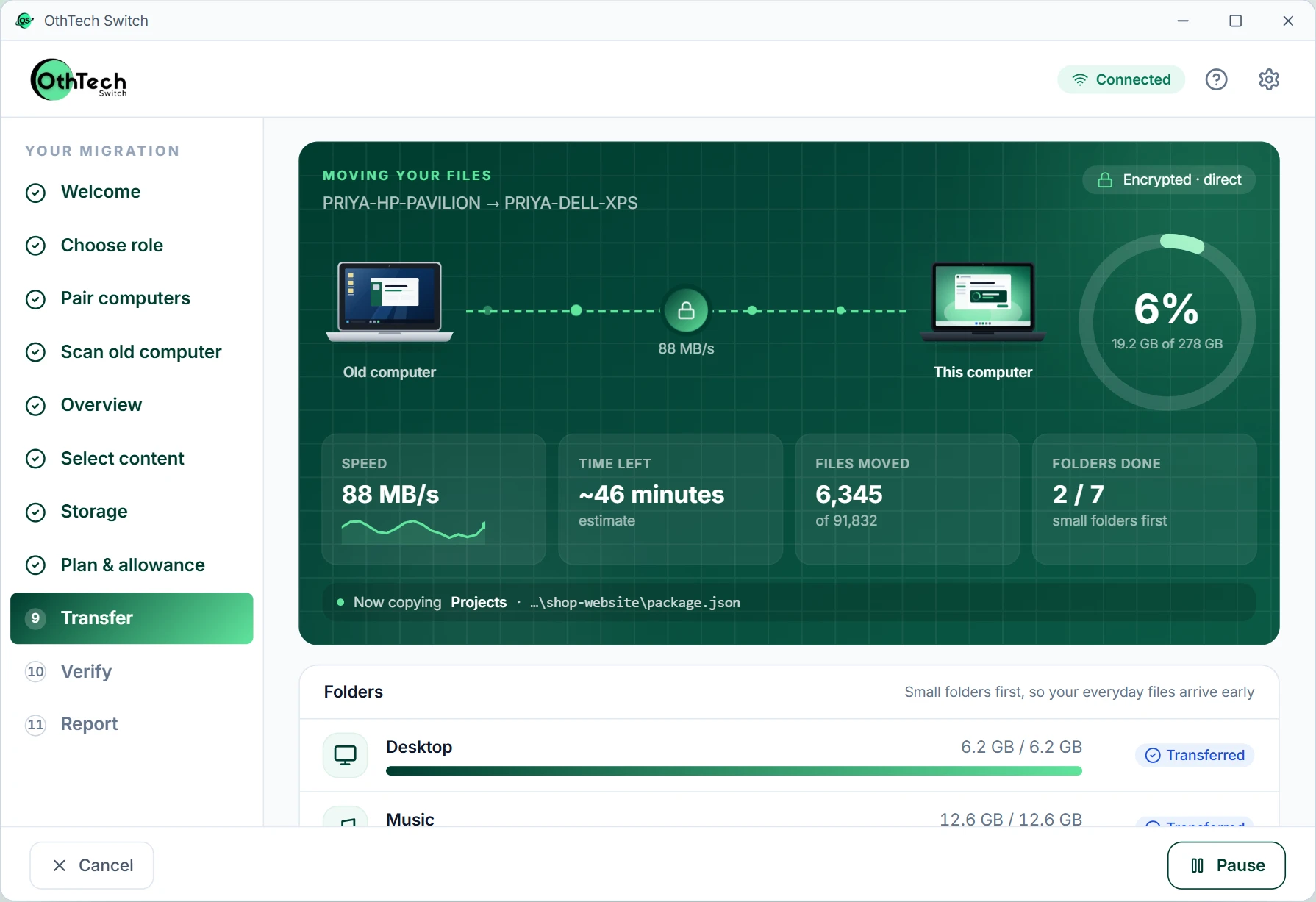
Files travel directly and encrypted from one computer to the other. Each one is fingerprinted as it's read and again after it's written — only matches are marked Verified.
Plug both computers in and go make a cup of tea. You don't need to watch it.
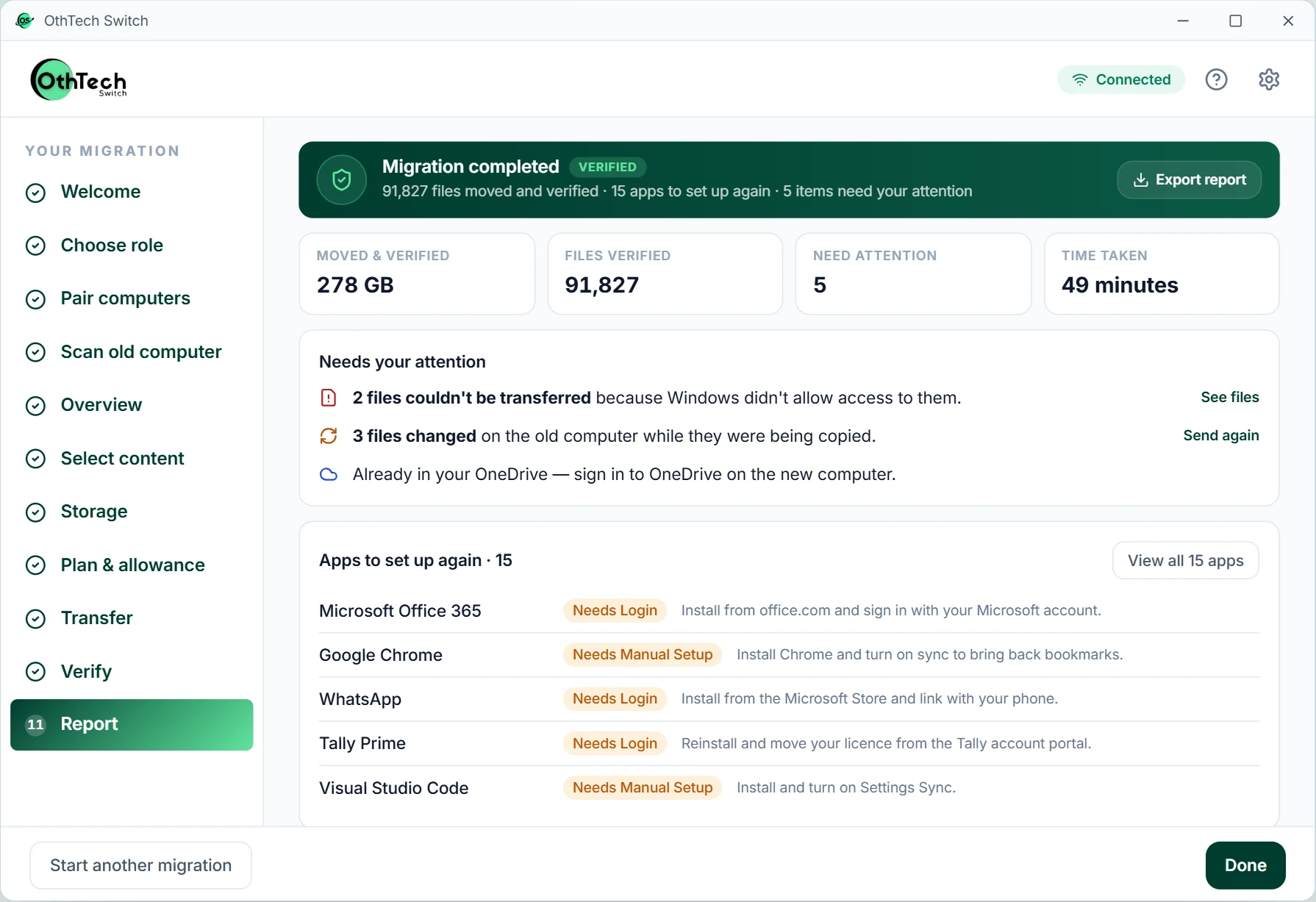
A clear summary of what moved, what was verified, and anything that needs your attention — with a list of apps to reinstall. Save it as HTML, PDF or CSV.
STEP 01 / 07
On both computersOld computer
Windows 10
InstalledNew computer
Windows 11
InstalledApp preview with simulated data. Steps 1 and 2 are simplified drawings.
Laptops run out of battery and routers restart. An interruption never means starting over — here's what you'd actually see.
OthTech Switch
The connection was interrupted. Your transferred files are safe.
Reconnect and the migration carries on from the last safe point.
OthTech Switch
Welcome back. Your migration is 62% done — continue?
Progress is saved continuously on both computers, so nothing is sent twice.
OthTech Switch
This network seems to block computers from talking to each other.
Guest and office Wi-Fi often do. We say so plainly and suggest a home network or a cable.
Example messages — the app's exact wording may differ.
Four things. Most people already have all of them.
Tick them off as you go
0 of 4 ready
New computer. Same digital life.
OthTech Switch is in development. Tell us you're interested and we'll let you know the moment it's ready to download.
In development at OthTech Solutions, India