Move to your new PC the safe way.
OthTech Switch moves your files from your old Windows computer to your new one — directly, encrypted, and with every file checked when it lands.
- free to start
- 11 GBfree to start
- uploaded to us
- 0 filesuploaded to us
- files verified
- 100%files verified
- one-time
- ₹299one-time
What OthTech Switch moves
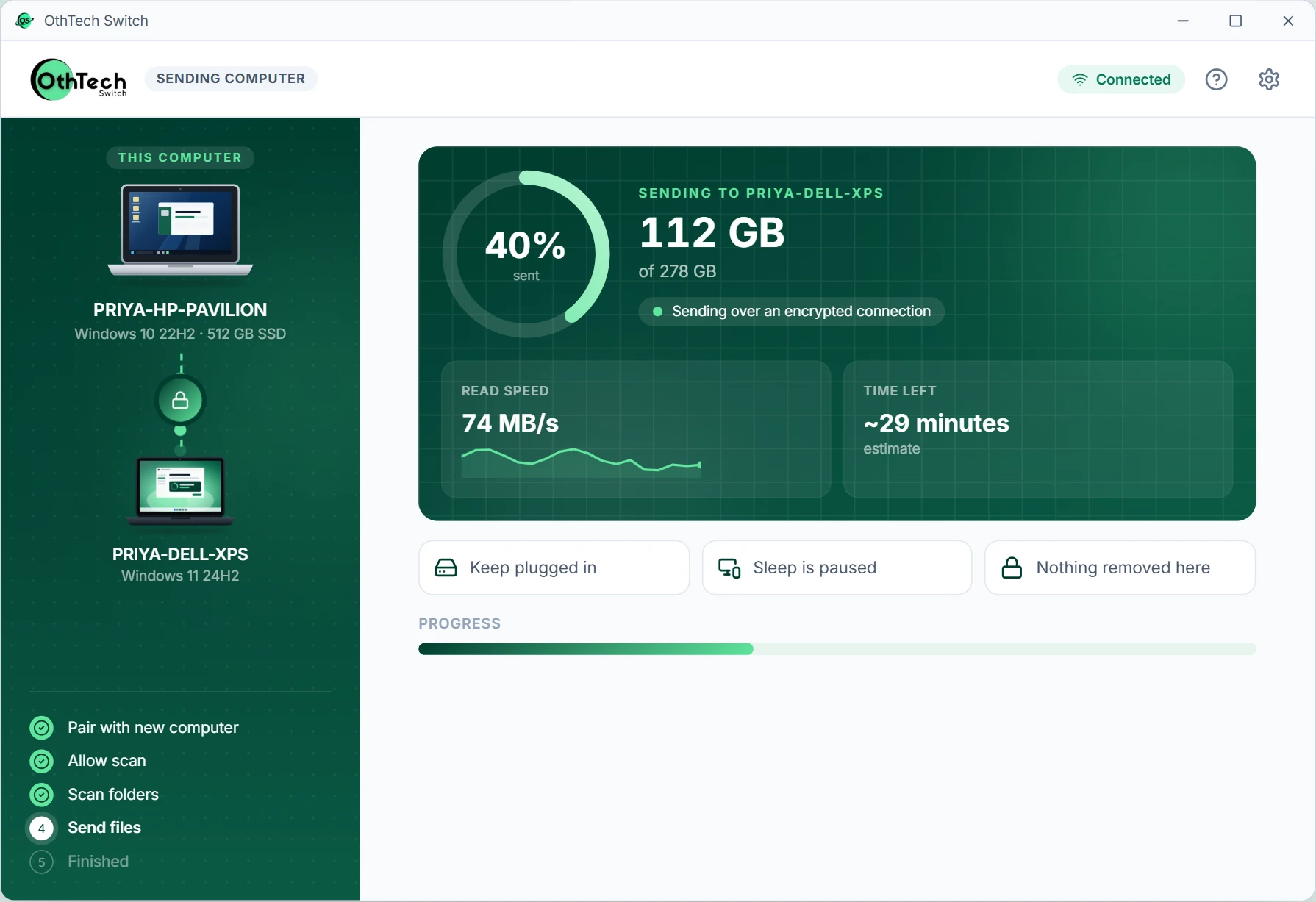
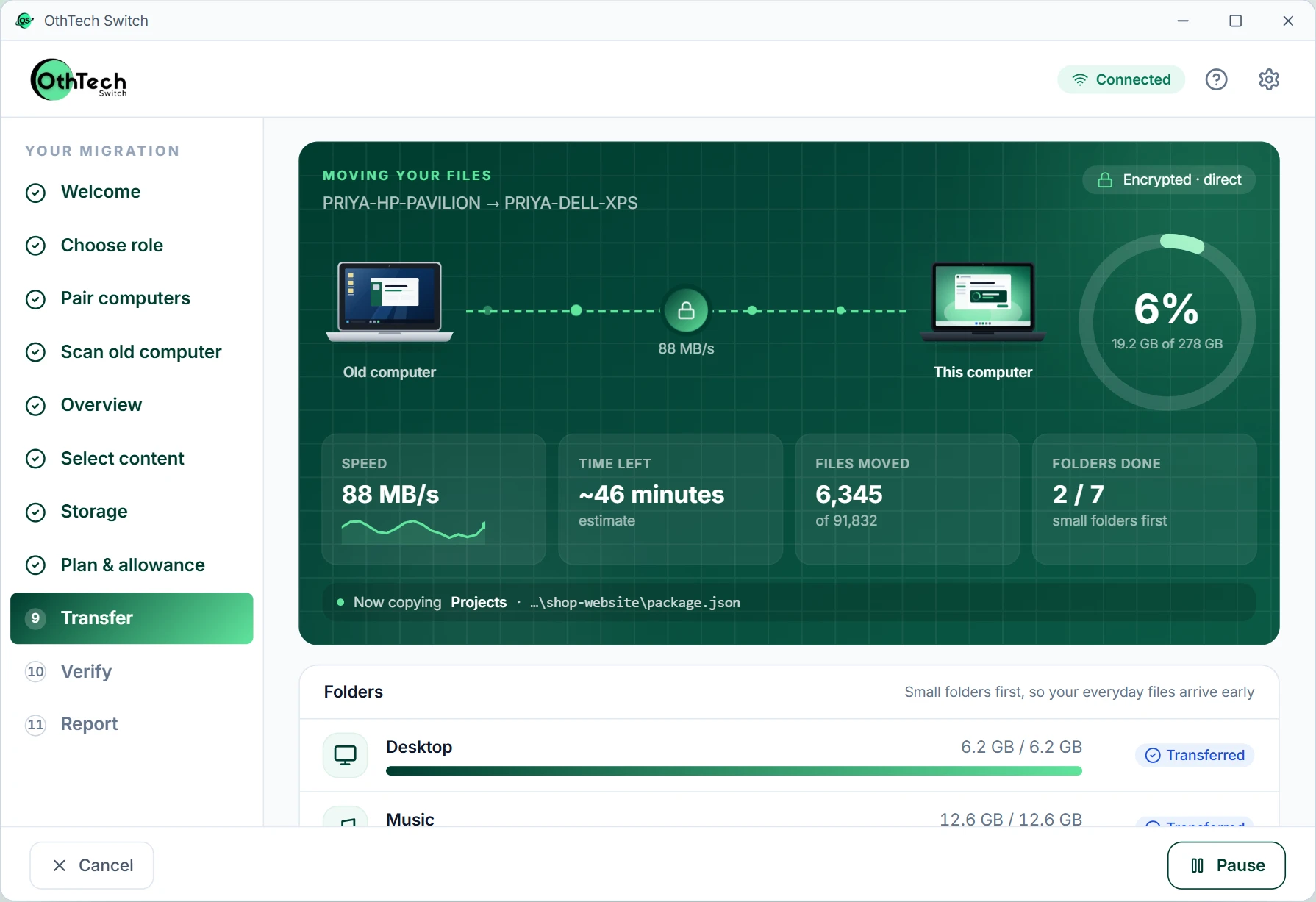
Honest progress, not a spinning wheel
See what's moving, how fast, and what's already been checked. If something needs you, we say so in plain language.
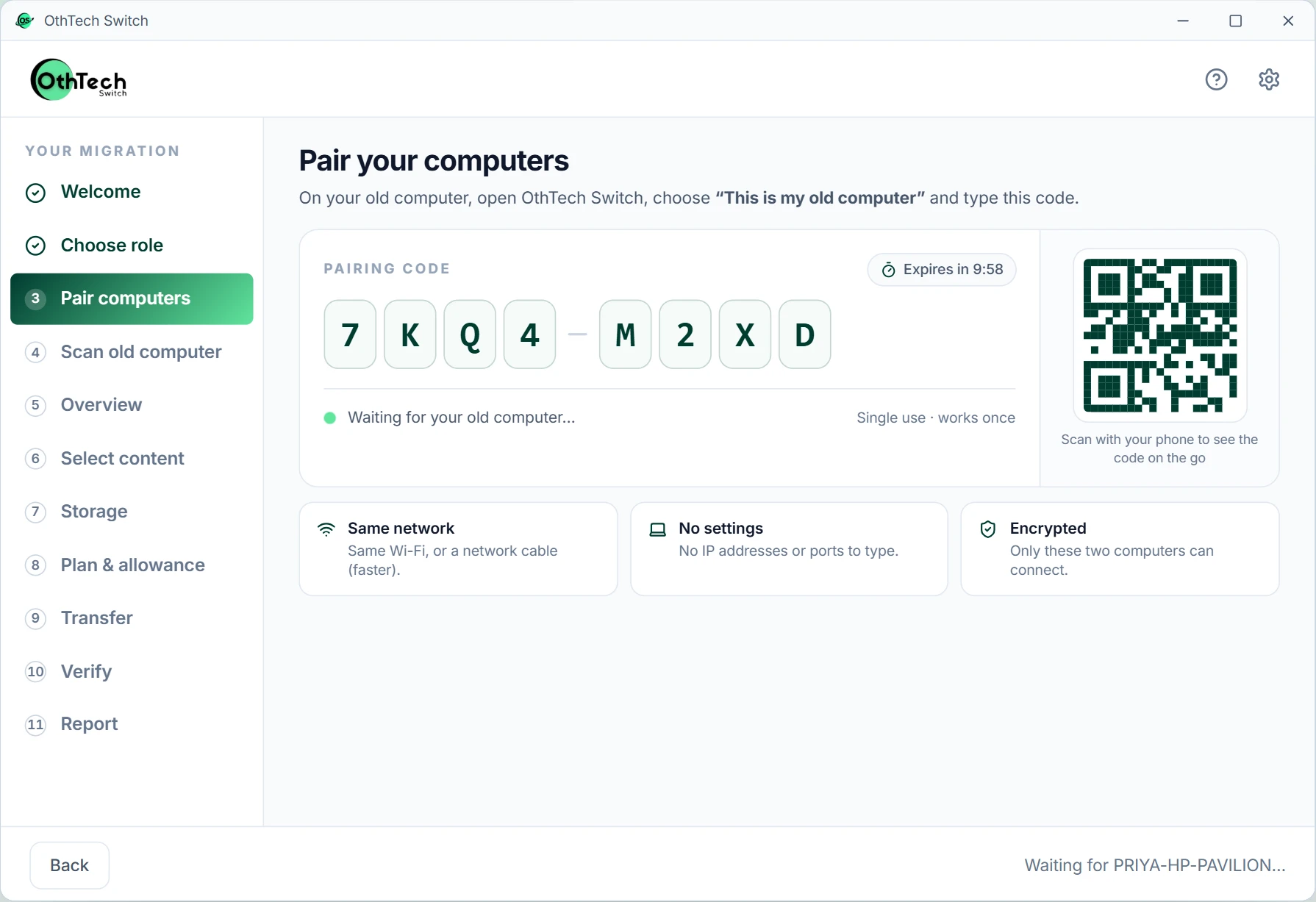
Your new computer shows eight characters. Type them on the old one — no IP addresses, ports or cables to configure.
App preview with simulated data.
Your files stay yours
These are the rules OthTech Switch is built around — on every plan, including free.
Never uploaded
Your files go computer to computer on your own network. They never touch our servers.
Encrypted end to end
A private, authenticated connection that only your two computers share.
Verified, not assumed
Every file is fingerprinted before and after. Only matches are marked Verified.
Pause any time
Stop, restart, lose Wi-Fi — pick up exactly where you left off.
Space checked first
We compare what you selected with free space before anything moves.
Nothing deleted
Your old computer is only read, never changed. Keep it until you're sure everything you need is on the new one.
Stop copying and hoping. Start moving with proof.
Numbers that describe the product, not the hype
11 GB
Free on every migration
With the same encryption and verification as paid plans
30 days
To resume a paid migration
Retry or continue without paying again
10 min
Pairing code lifetime
Single-use and rate-limited
0
Files sent to OthTech
Transfers stay on your own network
One Product, Four Ways To Use It
The same verified migration underneath — packaged for the way you buy and run it.
For individuals
Your photos, documents and projects on your new PC — without cables, cloud or guesswork.
PricingFree, or pay once
For businesses
Assign migrations to employees, track progress and get reports — without seeing anyone's files.
PricingPer device
For retailers
Offer data migration with every PC you sell. Buy credits, set your own price, track each job.
PricingCredit packs
Enterprise
Departments, approvals, scheduling and an audit trail for programmes of hundreds of PCs.
PricingPer contract
Start free. Pay once if you need more.
No subscription. Planned launch prices — they may change before release.
Free
Try a real migration — no account, no card.
₹0forever
11 GB per migration
- Full scan and storage analysis
- Direct computer-to-computer transfer
- Encrypted connection
- Pause and resume
- Every file verified after it lands
- Migration report
Personal
Everything on your old computer that matters to you.
₹299one-time
Up to 500 GB
- Everything in Free
- Large files and full folders
- Automatic retries
- Detailed planning and report
- Installed-app discovery
- Standard support
Professional
For creators, developers and power users.
₹499one-time
Up to 1 TB
- Everything in Personal
- Advanced diagnostics
- Enhanced reports
- Priority support
- Developer environment migration (on the roadmap)
- App configuration migration (on the roadmap)
Moving to a new PC, made simple
Questions, answered plainly
Your personal files — Documents, Pictures, Videos, Music, Desktop and Downloads — plus any folders you add. It also lists the apps installed on your old computer so you know what to set up again. Programs, Windows itself and drivers are not copied; installing those fresh is safer and more reliable.
No. You can download, scan, plan and run a free migration without creating an account. An account is optional and only helps with license recovery and keeping your migration history.
Open OthTech Switch on both computers on the same network. The new computer shows a short pairing code; type it on the old one and confirm. No IP addresses, ports or cables to configure — though a network cable works too and is usually faster.
Your progress is saved continuously on both computers. When they reconnect, the migration continues from where it stopped. Files already verified are never sent again.
Never. OthTech Switch only reads from your old computer. We recommend keeping it for a few days until you're sure everything you need is working on the new one.
Windows 10 (22H2) and Windows 11 (23H2 or later) on 64-bit Intel/AMD computers at launch. ARM-based Windows PCs will follow after testing. macOS and Linux are not supported yet.
New computer. Same digital life.
Ready for your new computer? We'll tell you when it's ready.
OthTech Switch is in development. Tell us you're interested and we'll let you know the moment it's ready to download.
In development at OthTech Solutions, India